
Wholesale ordering guide
Your produce order, done in a minute.
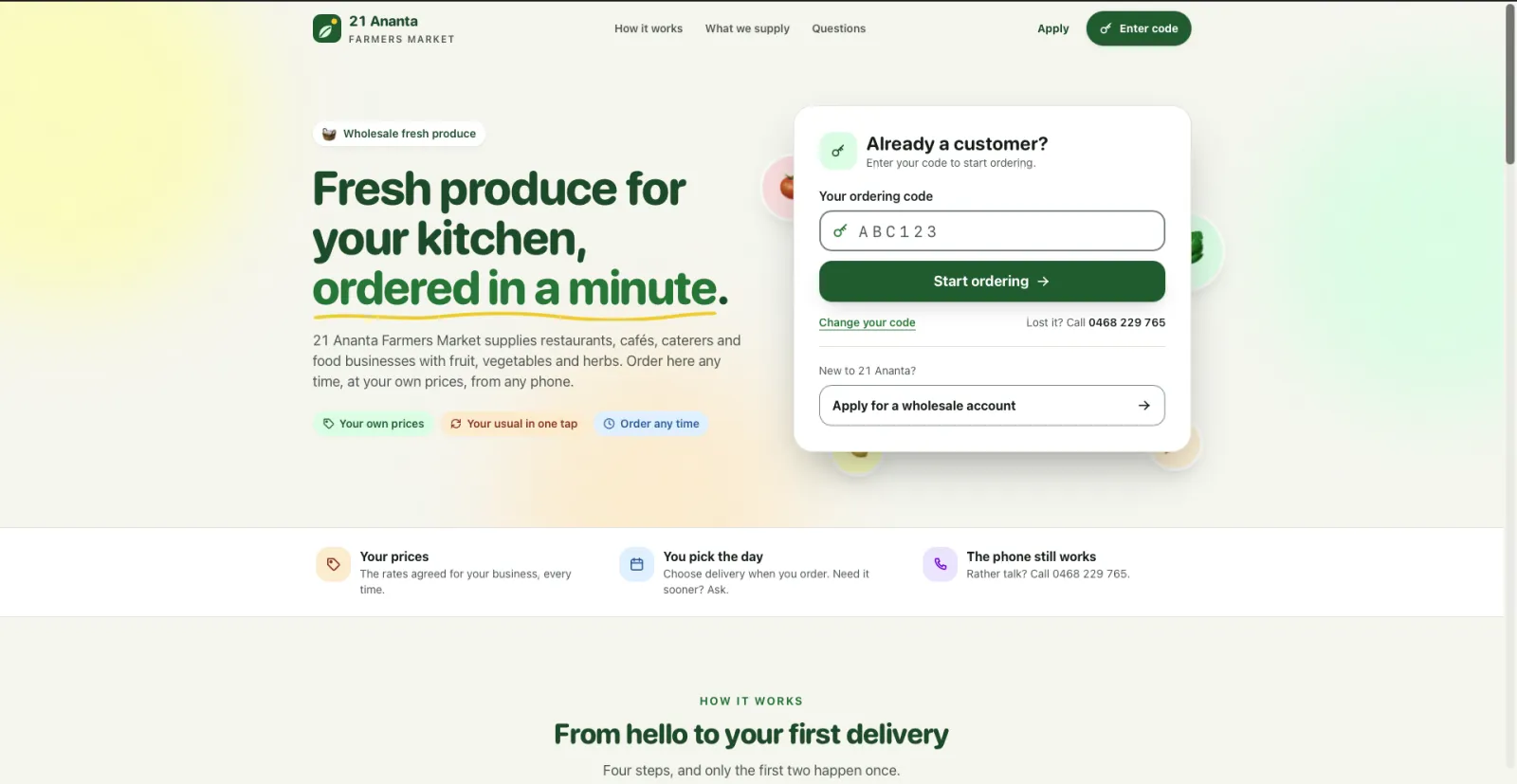
21 Ananta Farmers Market takes wholesale orders online at orders.21afm.com.au. Your own prices, your usual order in a tap, and no more “was that two boxes or three?”
Why order online
Built around a working kitchen
Faster than a call
Search or browse, set the quantity, done. A full order takes about a minute, not ten on the phone.
Open all hours
Place it at 11pm after service or 6am before prep. The site never closes, so the order is in before you forget it.
Your usual, in one tap
Start from a saved or past order and adjust it. Reordering your regular list takes seconds.
Fewer mix-ups
Every line, quantity and unit is in front of you before you send. What you tap is what we pick.
Start to finish
How to order
- 1
Go to orders.21afm.com.au
On any phone, tablet or computer. Save it to your home screen and it is one tap next time.
- 2
Enter your ordering code
It signs you in as your business, with your agreed prices. No passwords to remember. No code yet? Apply for one on the site.
- 3
Build your order
Browse Vegetables, Fruits & Berries, Herbs, Dairy and more or search, set quantities, or start from a past order. Add a note for anything not listed and we will try to get it.
- 4
Choose your day and send
Pick a delivery day and send it. You get a reference number, and we call if anything is short or needs changing.
On your computer
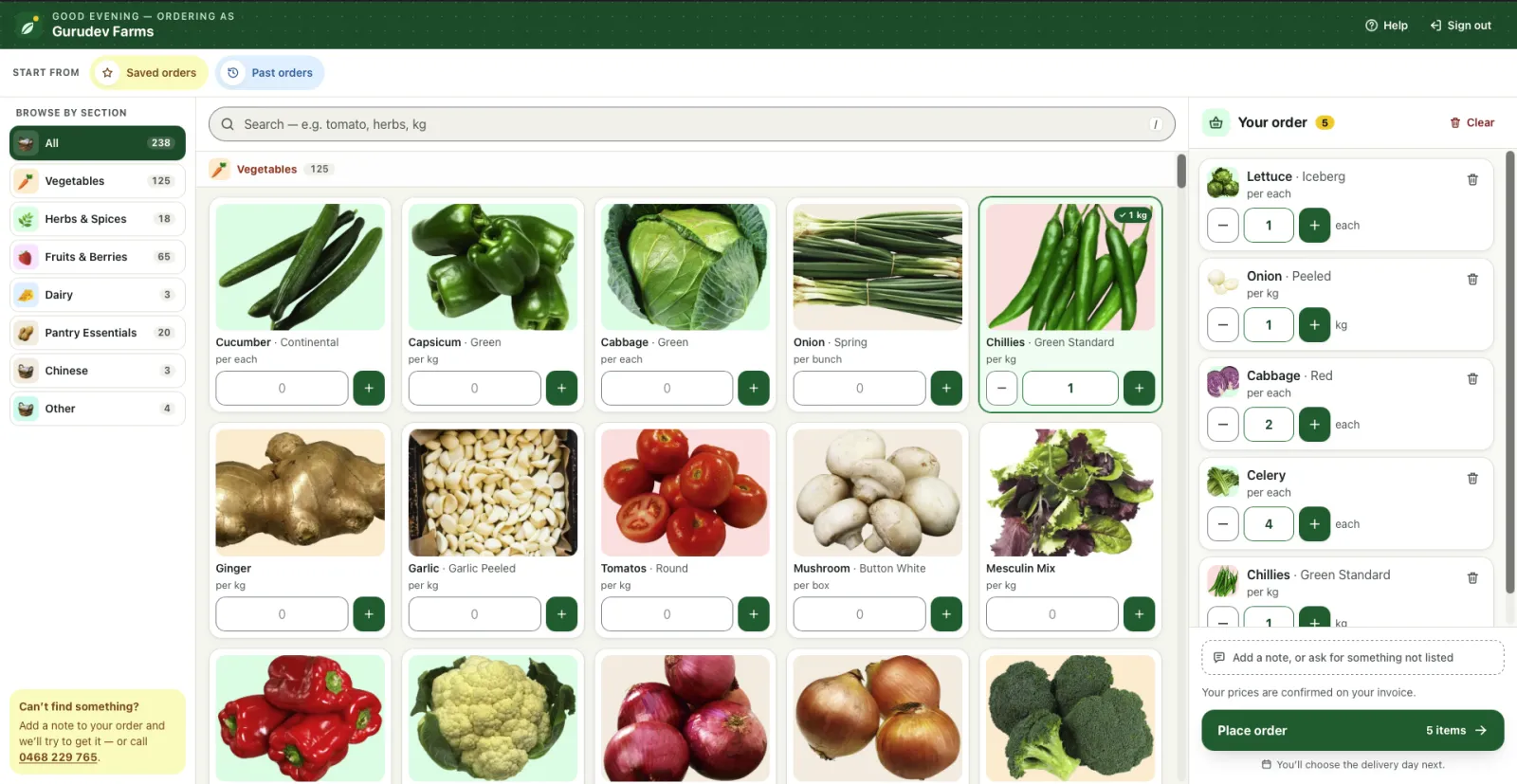
Everything on one screen
The catalogue in the middle, your order adding up on the right, and your account and delivery day never more than a click away.
Browse, search, watch it build
Filter by Vegetables, Fruits & Berries, Herbs, Dairy and more, or just search “tomato”. Set a quantity and it drops into Your order on the right, always in view and always adding up.
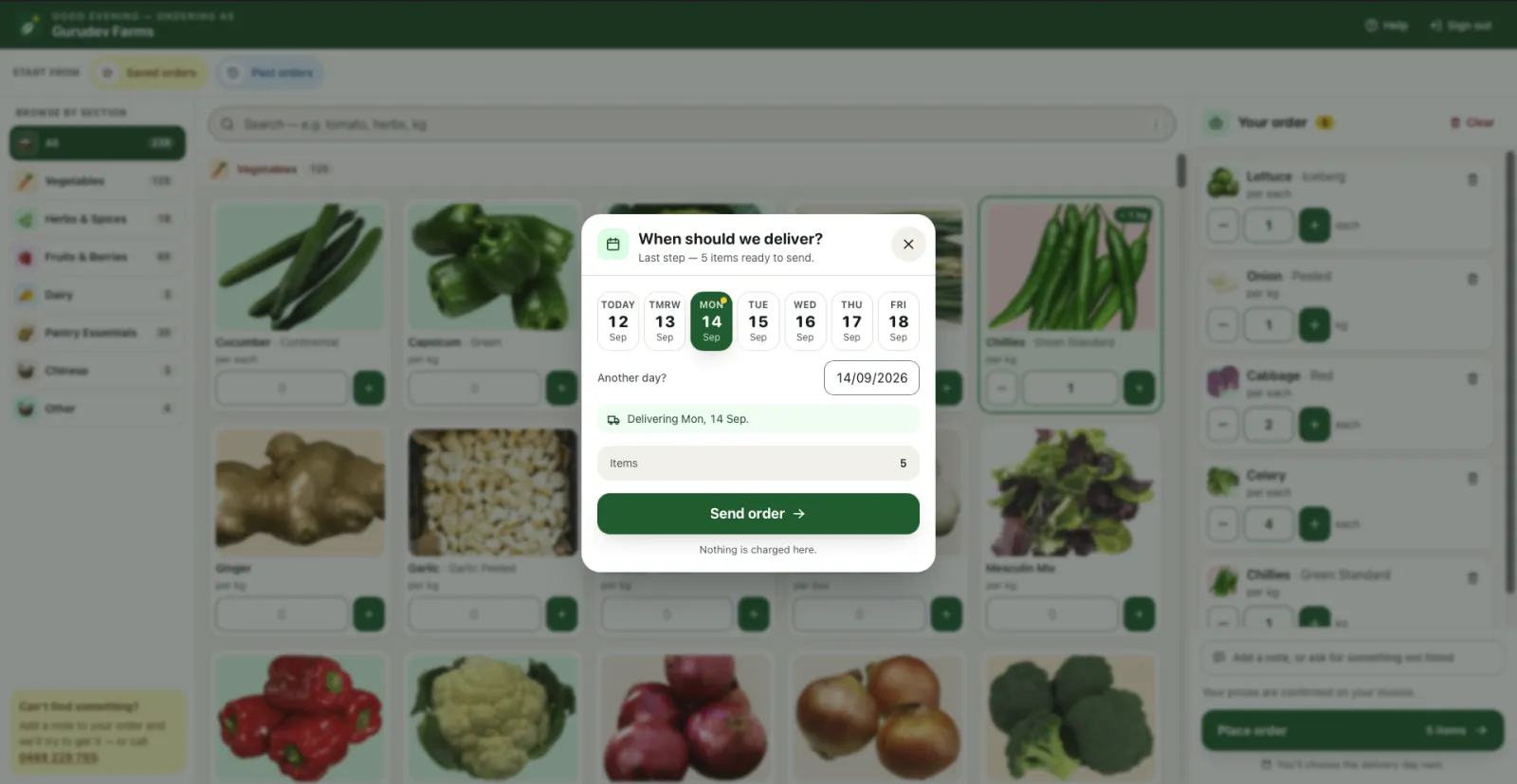
Pick your day and send
Choose the delivery day that suits your prep. Nothing is charged online: your prices are confirmed on your invoice, exactly as agreed.
In your pocket
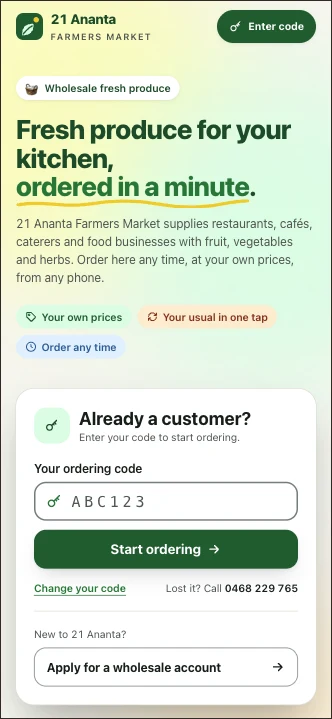
The same site, on your phone
Most orders are placed from a phone, so it does everything the computer does, sized for one thumb. Order from the cool room, the office or the car.
1 Sign inYour code, then straight to ordering. 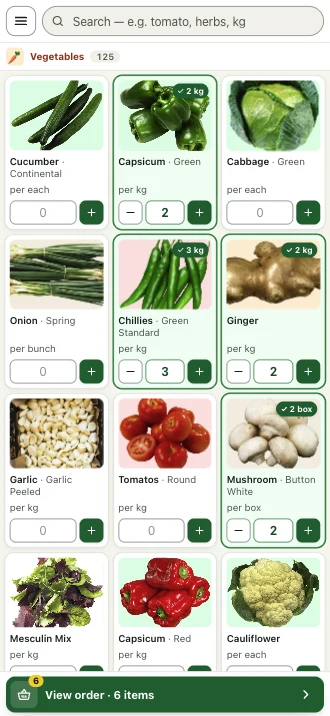
2 Add itemsBig buttons, clear photos and units. 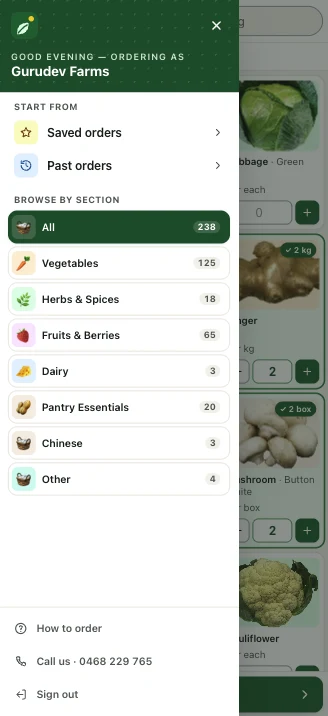
3 Jump to a sectionOr start from a saved order. 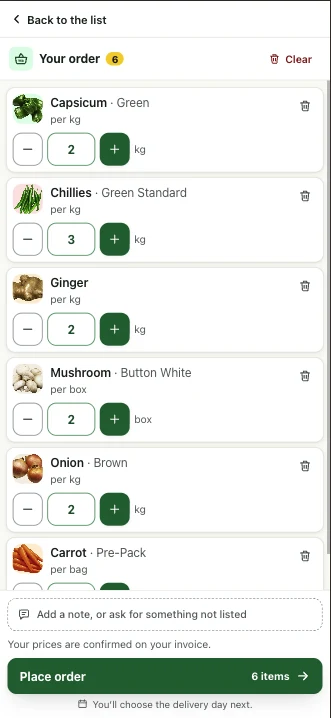
4 Check the listEvery line and quantity in front of you. 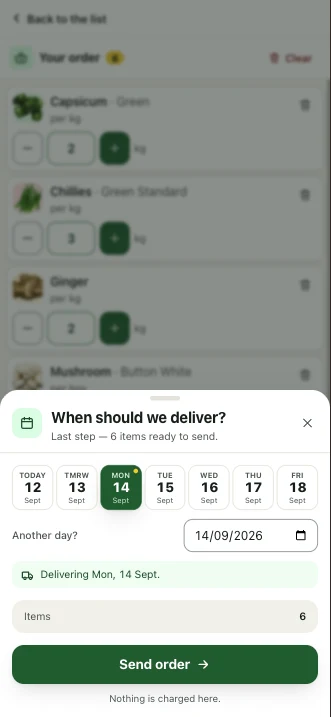
5 Pick the dayThen send it off. 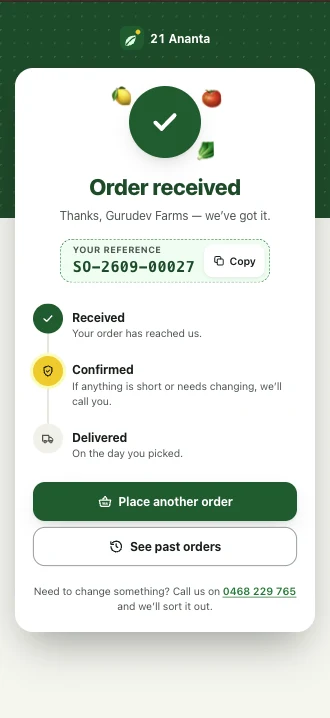
6 ConfirmedA reference number, and we call if anything is short.
Try it yourself
Have a look around with a practice code
Go to orders.21afm.com.au, enter the code, and try everything: browse the catalogue, build an order, pick a day. It is a practice account, so there is nothing to break.
Ready to order?
Already order with us?
Go to orders.21afm.com.au with your ordering code and place your next order there. Lost your code? Email hello@21anantafarmersmarket.com.au and we will send it again.
Start orderingNew to 21 Ananta Farmers Market?
Apply for a wholesale account on orders.21afm.com.au to get your own ordering code.
Apply for an account